
BriefingIQ · Executive scheduling
Protect your executives' time.
The right executive, in the right room, at the right time. No clashes.
Executive time is scarce.
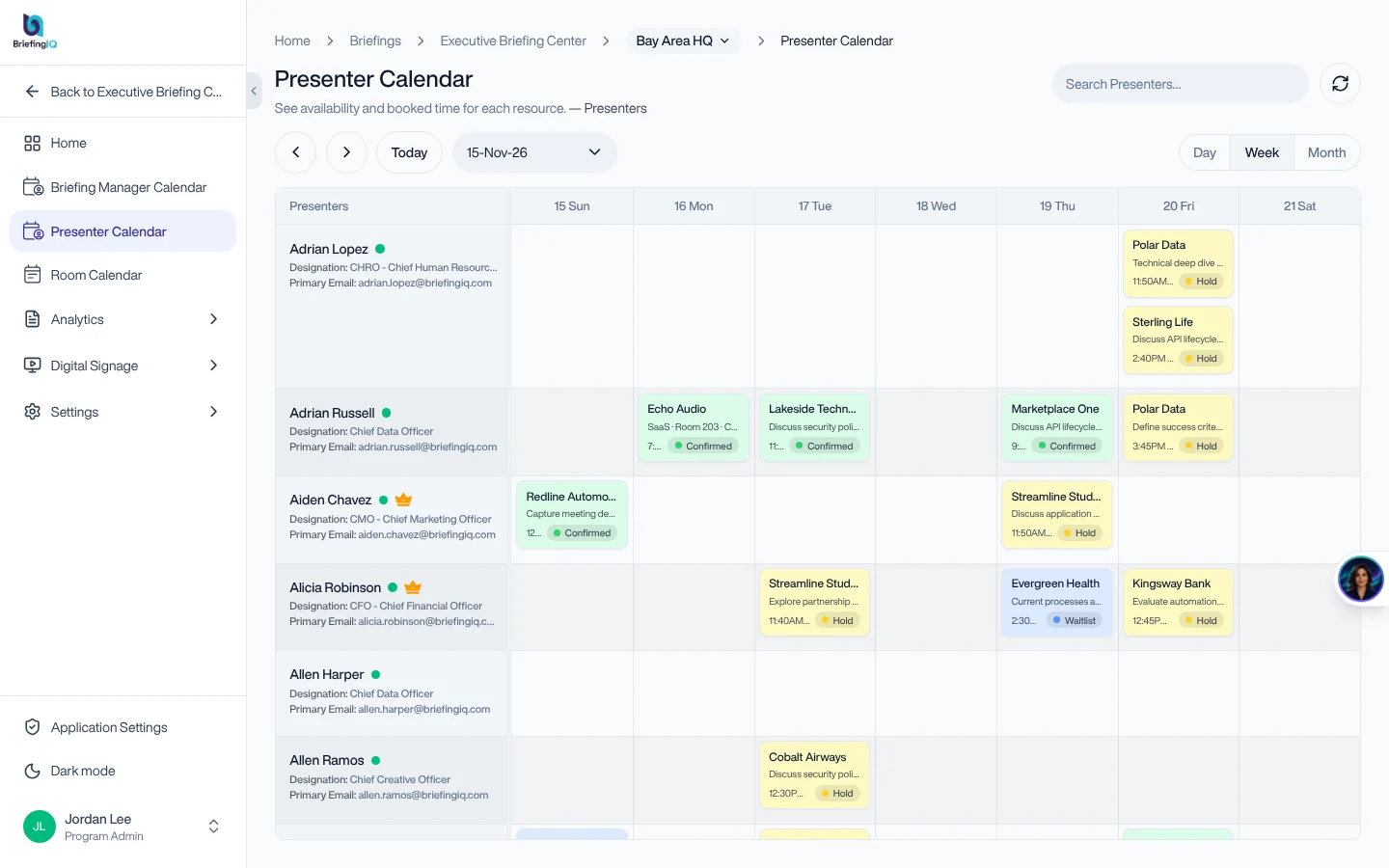
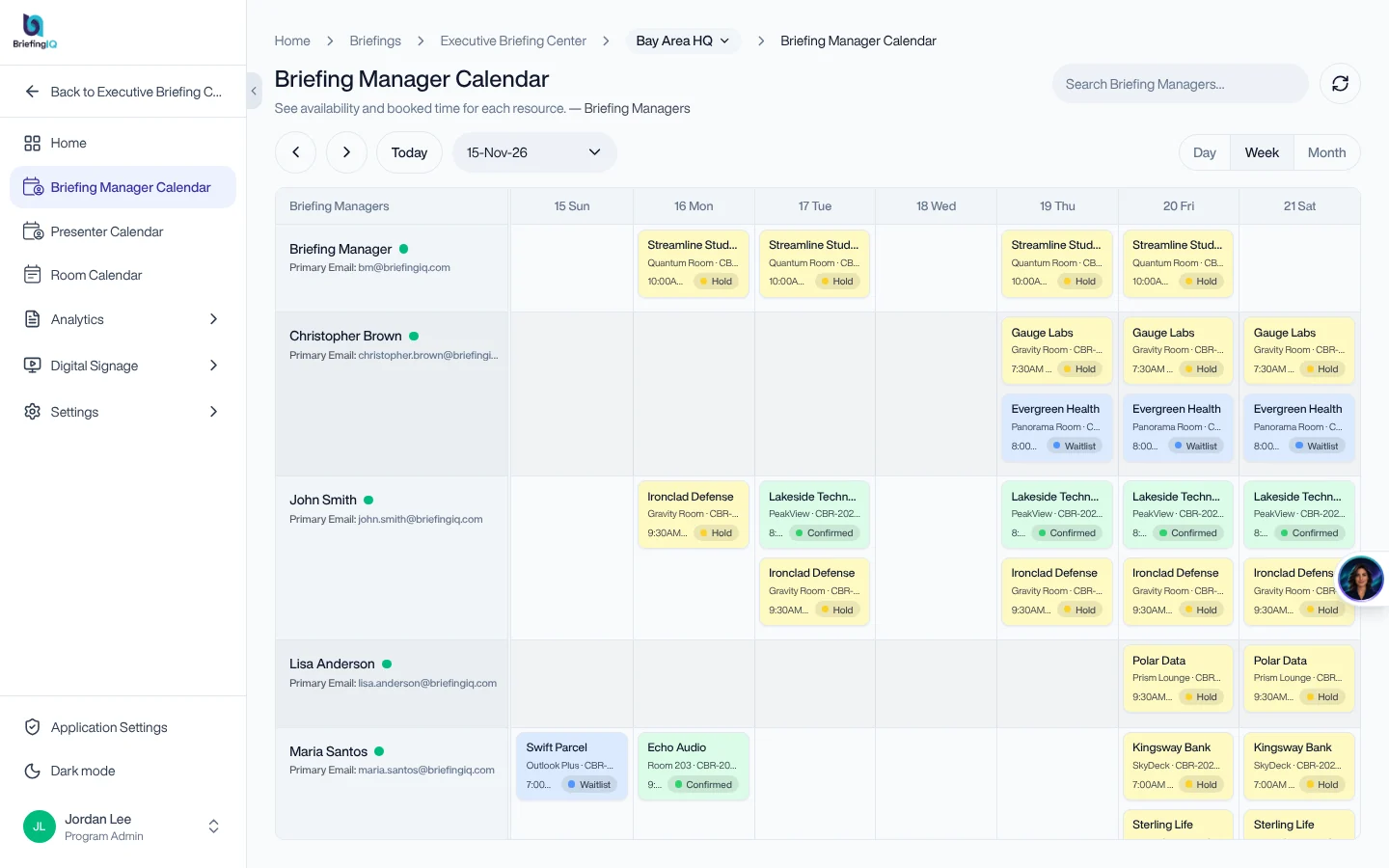
A single week can mean dozens of briefings across several rooms, with CEOs, CFOs and chief data officers moving between them. BriefingIQ gives each resource its own calendar, so schedulers see who is free and what is booked before they commit anyone.
Everyone booked. Nobody double-booked.
- Briefing manager calendar. Each briefing manager's visits by day, week or month, with the room for every session.
- Presenter calendar. Every presenter with their title and their sessions, so you can find a free executive fast.
- Room calendar. Every room's bookings, so visits fit the space and nobody books over a session.
Always know where a visit stands
Initialized and Submitted
New requests waiting for the briefing team.
Pending Confirmation
Requests waiting on a final check before they're locked in.
Confirmed
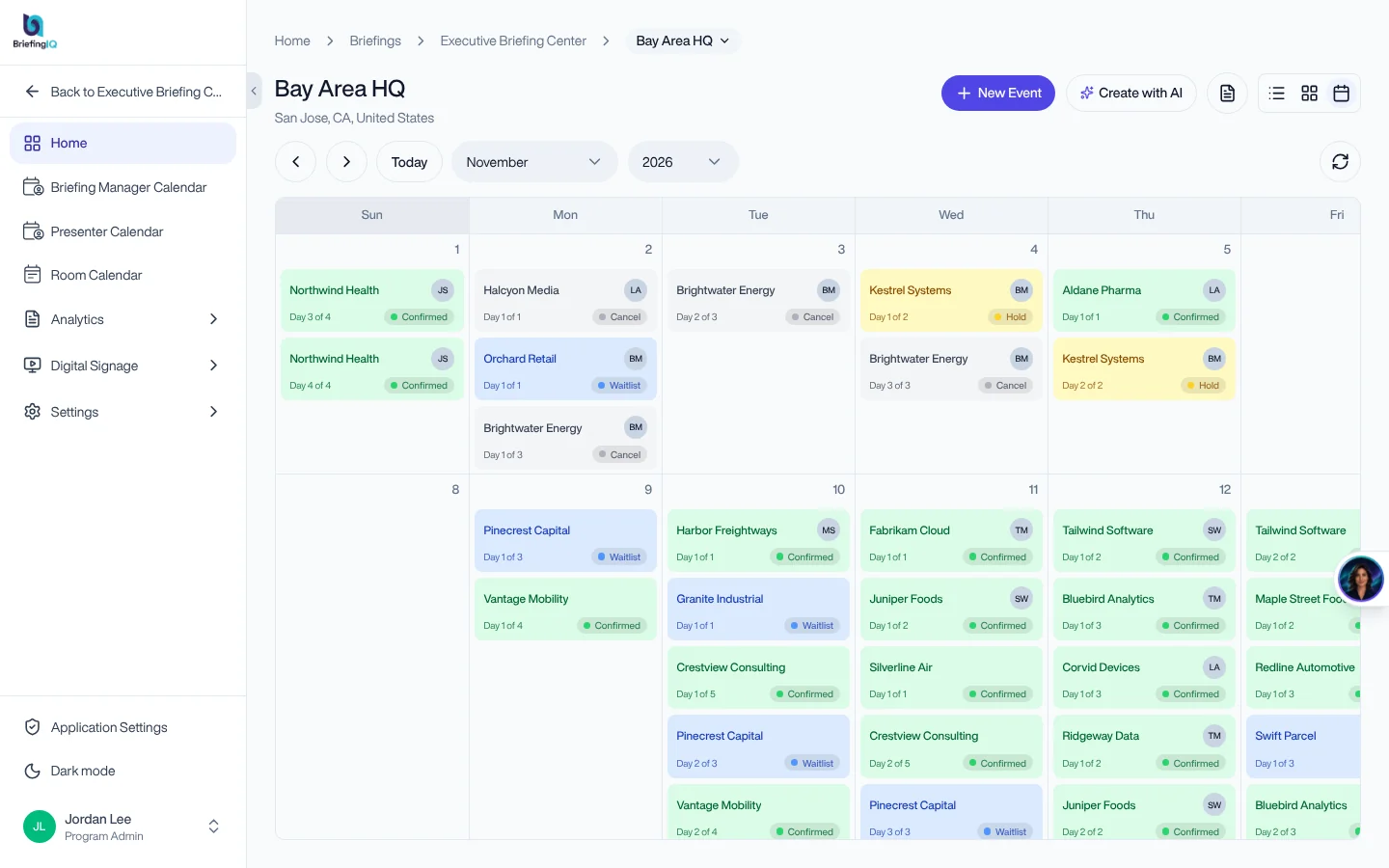
Visits that are going ahead, shown in green on every calendar.
Hold and Waitlist
Visits holding a slot, or waiting for one to open, so high demand stays visible.
Cancel
Visits that won't go ahead, kept on record.
Frequently asked questions
Can I see a whole week for every presenter?
Yes. The presenter calendar has day, week and month views, with each presenter's title and sessions.
Can I ask who is free instead of searching?
Yes. Ask Aurora answers questions about presenters, rooms and schedules by voice or text.
Does it work with Outlook?
Yes. Executive and room calendars sync with Outlook and Exchange.