
BriefingIQ · Ask Aurora
Answers in seconds. Just ask.
Skip the calendars and spreadsheets. Ask about any briefing, by voice or text.
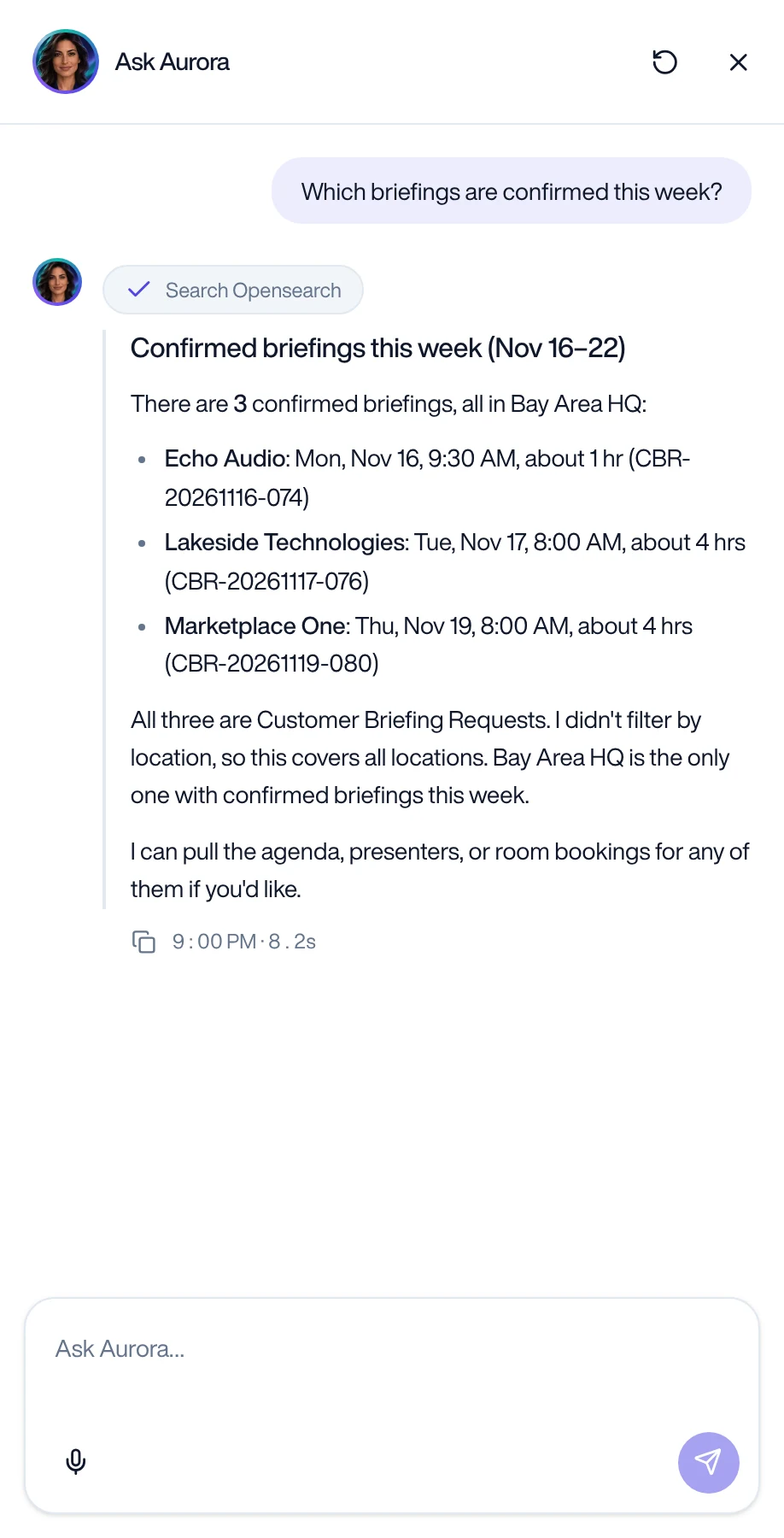
Stop clicking. Start asking.
Which briefings are confirmed this week? Who's presenting on Thursday? How many visits are still on hold? These questions used to mean opening three screens and a spreadsheet. With Ask Aurora, you ask once, out loud or in writing, and get the answer in the same window you're working in.
How it works
- Open Aurora. Aurora sits on every screen in BriefingIQ. Open the panel from the right edge.
- Ask by voice or text. Press the microphone and speak, or type your question.
- Get the answer. Aurora searches your briefings and replies with request IDs, dates, times and locations, and offers the next step, like pulling up the agenda.
Answers you can see.
Ask for a chart and Aurora builds one: briefings by status for the month, visits by location, and more. Each answer says what it included, such as which locations or dates, so you know exactly what you're looking at.
What you can ask
Schedules
Which briefings are confirmed this week? What's on the calendar at a location tomorrow?
Status
How many briefings are on hold or waitlisted this month?
People
Who is presenting, and who is the briefing manager for a visit?
Rooms and agendas
Which rooms are booked, and what's on the agenda for a briefing?
Charts
Show briefings by status for this month as a chart.
Frequently asked questions
Can I talk to Aurora instead of typing?
Yes. Press the microphone in the Aurora panel and speak your question.
What can Aurora answer?
Questions about briefings, rooms, agendas and presenters in your BriefingIQ program, including counts, schedules and charts.
Does Aurora show where its answer came from?
Each answer shows the search it ran and notes what it included, such as which locations or dates.